
ResortCleaning offers two methods to connect to your Track booking feed. The simplest is via the iCal feed. However, this method is only a one way pull of property calendar information, including blocks and reservations. The feed doesn't distinguish between a block or a reservation so we will schedule all events on the ical feed.
We also offer a more robust, two-way integration, described here, that pulls in Reservations and Housekeeping Work Orders from Track. Once the services corresponding to those items are completed, ResortCleaning will push back the status to Track to close out the corresponding orders.
To connect via this two-way method, follow these instructions:
- STEP 1: Log into your TRACK account and navigate to Configuration --> Company Setup --> API Keys
- STEP 2: Click the + Server Key button
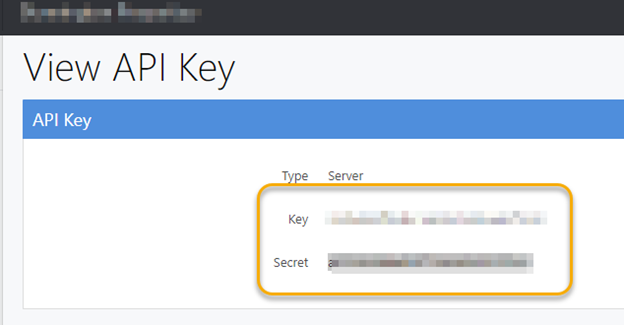
- STEP 3: Retrieve the Server API Key and Secret
- STEP 4: Locate your Track specific URL. Example: https://YOURCOMPANY.trackhs.com
- STEP 5: In your ResortCleaning account, navigate to Setup, Integrations --> Track Direct.
- STEP 6: Select the Schedule type option. Most users will want the Schedule Reservation and Workorder option.
Enter the endpoint you retrieved in Step 4 in the Base URL field. Be sure there is no / at the end of .com.
Enter your TRACK API Key. If you selected the Reservation & Workorder option, the same key will be used in both fields.
Once you have entered your key and secret, select how far out you want to schedule cleans by picking from the Days in Advance dropdown.
Click CONNECT TO TRACK.
- STEP 7: Click CONFIGURE PROPERTIES. Use the dropdowns to match the properties in RC to the properties in Track.
If you any trouble after following these steps, please reach out to us at help@resortcleaning.com
Comments
0 comments
Article is closed for comments.